This test doesn't need a database connection. It's sole purpose is to test the servlet configuration.
If you use the saxon processor and the sample server, the url is:
http://localhost:8080/servlet/saxon/samples/test/saxon/hello.plxml
The xml-apache version is called by:
http://localhost:8080/servlet/xmlapache/samples/test/xmlapache/hello.plxml
You find this small example in samples/forum.
This is a conventional Internet discussion forum.
The forum/init shell script will need to be run first.
The chapter "Installation" describes how to run the sample.
If you use the saxon processor and the sample server, the url is:
http://localhost:8080/servlet/saxon/samples/forum/saxon/forum.plxml
The xml-apache version is called by:
http://localhost:8080/servlet/xmlapache/samples/forum/xmlapache/forum.plxml
This demo offers a mask. If you submit the mask, it will upload the given files into the /tmp directory of the web-server.
The stylesheet depends on a special HttpServletRequest class - de.opus5.servlet.MultipartRequest.
It is built into the rm -d ms servlet.
If a request contains multipart/form-data, the servlet will put the filenames into the values of the request variable.
You can access all public methods of the MultipartRequest object via the servlet-request variable.
The class has a copyFile method for convenience.
If you use the saxon processor and the sample server, the url is:
http://localhost:8080/servlet/saxon/samples/test/saxon/upload.plxml
The xml-apache version is called by:
http://localhost:8080/servlet/xmlapache/samples/test/xmlapache/upload.plxml
This demo offers a mask. If you submit the mask, it will send an e-mail to the given address.
This demo uses a builtin emitter - de.pannenleiter.saxon.Mailer. If you write a document to this emitter, it sends the content to a sendmail daemon.
The outermost node of your document must be a <mail> element. The child elements of this one become header-lines and the text goes into the body. This sample fetches the values of the header-lines and the text of the body from the input fields of the mask. A simpler example may look like this one:
<mail>
  <From>nobody@nowher.com</From>
  <To>anybody@anywher.org</To>
  <Subject>Please ignore</Subject>
<xsl:text>This is the first line of a test.
And this is the second one.
</xsl:text>
</mail>
If you use the saxon processor and the sample server, the url is:
http://localhost:8080/servlet/saxon/samples/test/saxon/sendmail.plxml
The xml-apache version is called by:
http://localhost:8080/servlet/xmlapache/samples/test/xmlapache/sendmail.plxml
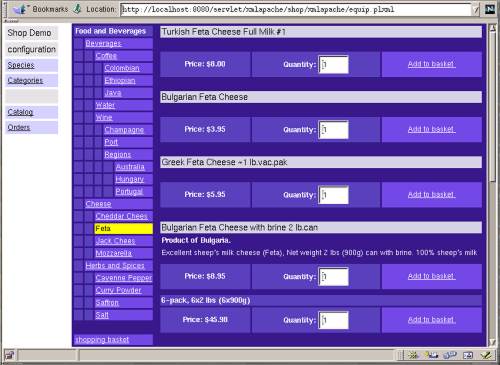
The samples/shop sample is more extensive.
It comes with a food and beverage database.
You can configure your range, order the products and view your sales orders.
Before you use this sample, you should configure and run the forum sample.
If you would like to go shopping, click the catalog button, select a category and click a Add to basket button.
The shopping basket button at the end of the category tree shows your basket.
That page offers a mask to confirm your selection.
The sales order goes into your database. You will see the list of your sales orders, if you click the orders button in the left frame.
If you would like to configure your articles, click on the categories button. The species mask creates templates for new articles.
If you use the saxon processor and the sample server, the url is:
http://localhost:8080/servlet/saxon/samples/shop/saxon/equip.plxml
The xml-apache version is called by:
http://localhost:8080/servlet/xmlapache/samples/shop/xmlapache/equip.plxml
This demo is a very rudimentary implementation of a content management system. It uses the 'Portable Site Information' doctype. The idea is: you will be able to use nifty site editors, export the project and add the dynamic parts with rmdms. You will find more information about PSI at http://www.xml.com/pub/2000/03/22/psi/index.html
At the moment the sample includes a simple editor and 4 stylesheets:
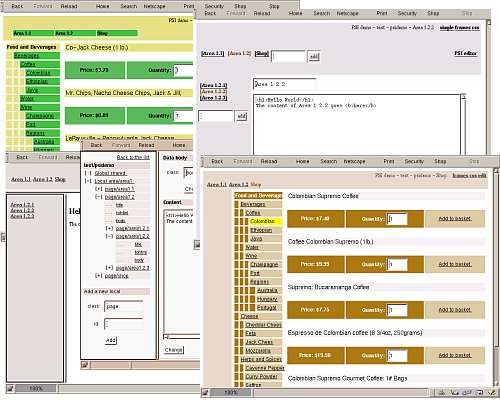
You can start the demo from the PSI editor. The index page describes how to initialize and call up the editor and the samples.
If you use the saxon processor and the sample server, the url is:
http://localhost:8080/servlet/saxon/psi/saxon/index.plxml
The xml-apache version is called by:
http://localhost:8080/servlet/xmlapache/psi/xmlapache/index.plxml